
RAM Explained
A beginner-friendly guide explaining what RAM is, how it affects PC performance, and how much memory you actually need for gaming and everyday use. The article breaks down DDR4 vs DDR5, RAM speeds, compatibility, and why more RAM isn’t always better, helping readers understand the balance between performance, stability, and real-world workloads.
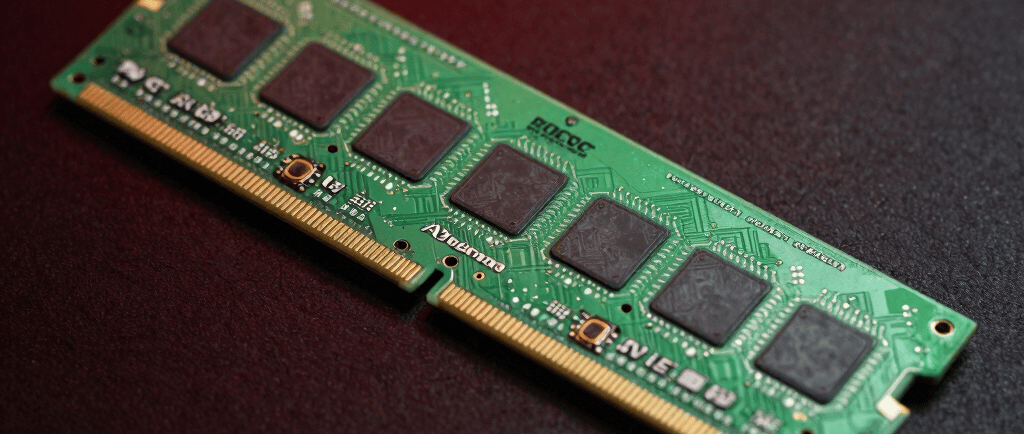
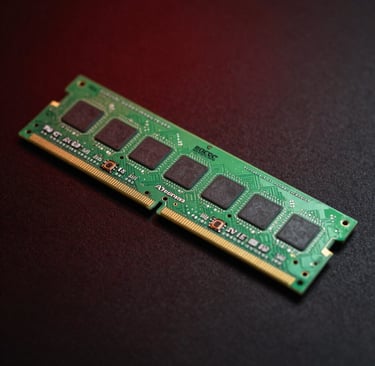
What is RAM?
RAM, short for Random Access Memory, is the temporary working space your computer uses to hold information while tasks are being carried out. Think of it as the PC’s short-term memory. It stores data that the processor may need quickly, allowing programs and games to run smoothly without constantly pulling information from slower storage drives.
RAM modules, commonly called RAM sticks, are officially known as DIMMs (Dual Inline Memory Modules). These contain memory chips that can rapidly read, store, and rewrite data.
Unlike permanent storage such as SSDs or hard drives, RAM is volatile memory. This means everything stored in it disappears once the computer is powered off.
SDRAM, DDR and GDDR
Most modern desktop memory is a type called DDR SDRAM, which stands for Double Data Rate Synchronous Dynamic RAM. This is the standard memory installed into motherboard RAM slots.
Graphics cards use a separate version called GDDR SDRAM, designed specifically for graphical workloads and high-speed visual processing.
Although terms like SDRAM and DRAM are often used interchangeably online, modern consumer systems almost always use SDRAM-based memory.
DDR Memory Generations


DDR5
DDR5 is the newer generation of consumer memory. It increases both bandwidth and memory density compared to DDR4 while operating at lower voltage levels.
In simple terms, DDR5 allows systems to transfer more data at once and improves efficiency, especially in newer high-performance platforms.
As motherboard and CPU technology evolves, DDR5 is gradually replacing DDR4 as the modern standard.
RAM capacity is measured in gigabytes (GB).
DDR4
DDR4 became the standard for modern PCs for many years due to its improved speed, efficiency, and capacity compared to earlier generations.
It offers significantly higher bandwidth than older memory standards and is supported by the majority of modern motherboards. Older systems may still rely on DDR3 or DDR2, but these are now considered outdated for most gaming or productivity tasks.
Understanding RAM Speeds & Product Names
When looking at RAM products, you’ll usually see something like:
DDR4-3200 or DDR5-6000
The number refers to the memory’s transfer speed, measured in MT/s (Mega Transfers per second). Generally speaking, a higher number means faster data transfer capability.
For example:
DDR4-3200 performs 3,200 million transfers per second
DDR5-6000 performs 6,000 million transfers per second
However, raw speed is only one part of performance. Stability, latency, motherboard compatibility, and CPU support also matter.
What is SRAM?
Alongside regular system RAM, computers also use SRAM (Static RAM). This type of memory is much faster and is commonly used inside the processor itself as cache memory.
CPU cache helps reduce delays by storing frequently accessed information extremely close to the processor cores.
How much RAM do you actually need?
As software, games, and web browsers become more demanding, memory requirements continue to rise. Modern applications often consume far more RAM than they did just a few years ago.
If your system runs out of available memory, Windows begins moving data to a page file stored on your SSD or hard drive. Since storage drives are dramatically slower than RAM, this can lead to stuttering, slowdowns, and reduced responsiveness.
Buying too little RAM can hurt performance. Buying far more than you realistically use can simply waste money.
So, what is the right amount?
8GB RAM - Entry-Level Modern Usage
Today, 8GB is considered the minimum for a modern Windows gaming or productivity PC.
It is generally enough for:
Basic office work
Web browsing
Streaming media
Light gaming
Casual multitasking
However, modern games and heavier applications can quickly consume most of that memory, especially if multiple browser tabs or background programs remain open.
4GB systems are now largely limited to extremely basic use cases such as lightweight laptops or Chromebooks.


16GB RAM - The Current Sweet Spot
For most gamers and general users, 16GB offers the best balance between cost and performance.
It provides enough headroom for:
Modern gaming
Streaming
Multitasking
Multiple browser tabs
Productivity software
Background applications
Most users can comfortably game while keeping Discord, browsers, music, or work applications running without major issues.
For most gaming PCs built today, 16GB is the recommended target.
32GB is typically unnecessary for average gaming alone, but it becomes valuable for more demanding workloads such as:
4K video editing
Large Photoshop projects
3D rendering
Virtual machines
Heavy multitasking
Professional content creation
Having 32GB also gives users far more freedom to leave programs open without worrying about memory limits.
Some advanced users even create RAM disks, where a portion of memory is treated like an ultra-fast temporary drive for editing or scratch files.
32GB RAM - Useful for Heavy Workloads


Final Thoughts
For most modern systems:
8GB is the practical minimum
16GB is the ideal choice for gaming and everyday performance
32GB is mainly beneficial for professional or memory-heavy workloads
If your current system rarely exceeds 16GB usage, there’s usually little reason to spend extra on 32GB immediately.
For users with motherboards offering four RAM slots, starting with a 16GB dual-stick setup often makes the most sense. Additionalmemory can always be added later if required.
Ultimately, the best RAM configuration depends on what you do with your PC, not simply chasing the biggest number on the box.
What about 64GB or more?
In recent years, higher memory capacities such as 64GB and even 96GB have become more common, particularly in enthusiast and professional systems.
For the average gamer, this amount of RAM is usually unnecessary. Most modern games still perform perfectly well on 16GB or 32GB systems. However, memory usage across software continues to increase over time, especially with:
4K and 8K video editing
Large modded games
Professional rendering workloads
AI software
Virtual machines
Heavy multitasking
Music production
Large creative projects
Higher RAM capacities can also improve workflow convenience rather than raw performance. Users can leave dozens of browser tabs, applications, editing tools, and background processes running simultaneously without slowing the system down.
For some enthusiasts, larger memory capacities are also about longevity and future-proofing. As software evolves, memory demands tend to increase gradually over the years.
That said, simply installing massive amounts of RAM will not magically increase gaming performance if the system never fully uses it. Unused RAM remains unused capacity.
For most users today:
16GB remains the gaming sweet spot
32GB is ideal for heavier multitasking and creative workloads
64GB and beyond is aimed more toward advanced productivity and workstation-level usage
Understanding RAM Speeds
When looking at RAM, you’ll usually see numbers such as:
DDR5-5600
DDR5-6000
DDR4-3200
These numbers refer to the memory’s transfer speed, measured in MT/s (Mega Transfers per second), although many people still casually refer to it as MHz.
In simple terms:
Higher numbers generally mean the RAM can move data faster
Faster RAM can improve responsiveness and performance in certain tasks and games
For example:
DDR4-3200 performs 3,200 million transfers per second
DDR5-6000 performs 6,000 million transfers per second
However, RAM speed is only one part of overall performance. Stability, latency, motherboard support, and CPU compatibility also play major roles.
Does faster RAM improve Performance?
Faster RAM can improve performance in:
Gaming
CPU-heavy workloads
Rendering
Compression tasks
Some simulation games
Integrated graphics systems
However, the difference is not always dramatic.
Some applications benefit heavily from faster memory speeds, while others show only small improvements. In many gaming systems, moving from extremely fast RAM to even faster RAM often produces diminishing returns.
Balance matters more than chasing the highest number available.
RAM Compatibility and Stability
Not all RAM works perfectly with every motherboard or CPU.
Each motherboard and processor supports specific memory speeds and configurations. Installing RAM faster than officially supported speeds may require enabling special memory profiles such as:
XMP (Intel)
EXPO (AMD)
These profiles automatically apply higher-speed settings tested by the manufacturer.
While modern systems are generally safe, pushing RAM beyond stable limits can sometimes cause:
System crashes
Blue screens
Random restarts
Failure to boot
Data instability
In extreme cases, aggressive manual overclocking with excessive voltage can potentially damage components, although modern hardware usually includes safety protections.
For most users, enabling the manufacturer-tested profile is perfectly safe and common practice.
Is Faster RAM always Better?
Not necessarily.
Very high-speed RAM often becomes significantly more expensive while offering smaller real-world gains.
For example:
DDR5-6000 is widely considered an excellent balance for many modern systems
Extremely high frequencies may produce only small improvements outside specialised workloads
In some cases, slower but more stable RAM can actually provide a better experience than aggressively tuned unstable memory.
The goal is balance and reliability, not simply the highest number printed on the packaging.
Contact
Email: @gamingtechhq.co.uk
WhatsApp: +447468647591
© 2024. All rights reserved.
GAMINGTECHHQ
Perspective. Power. Performance.